




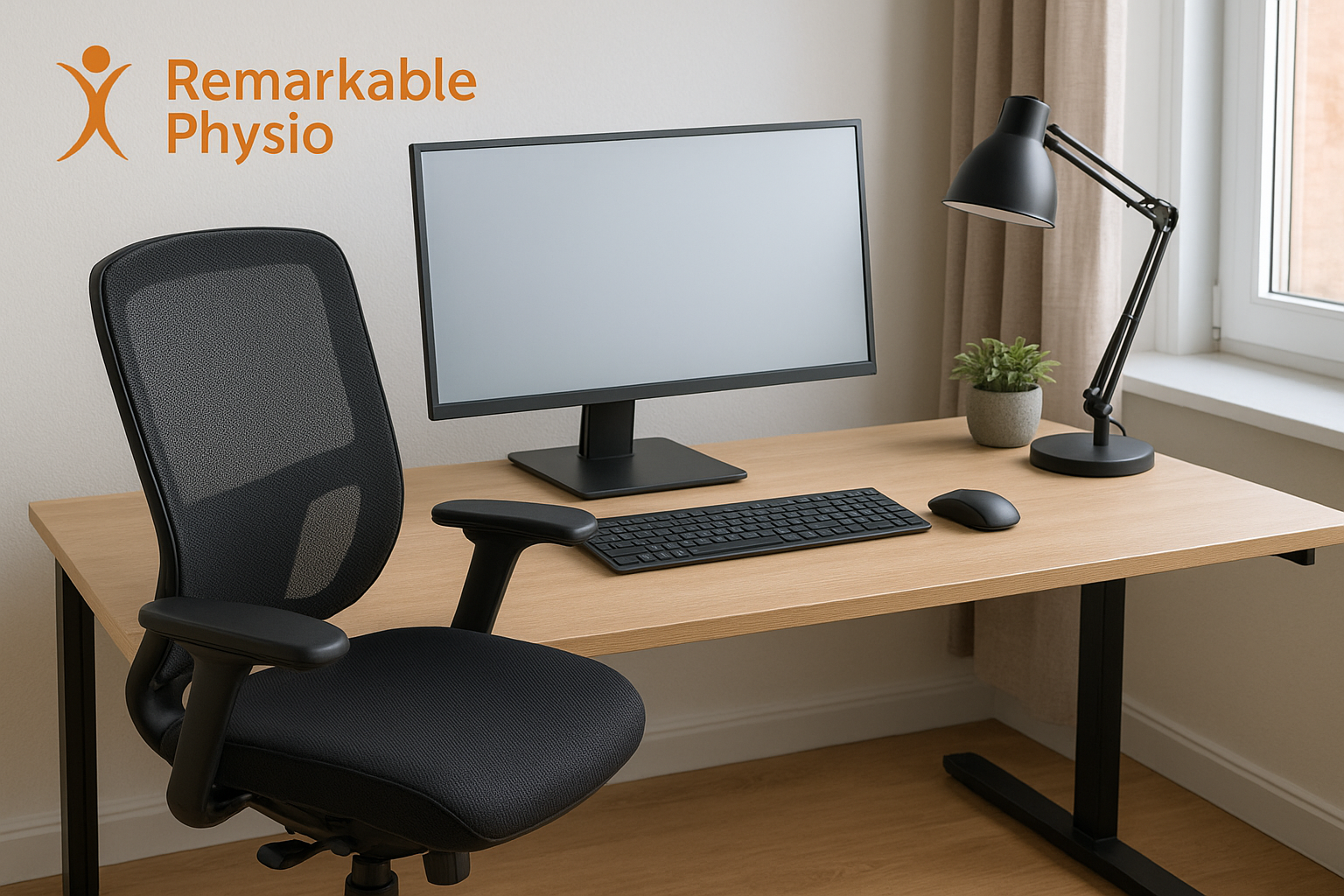
Ergonomic Desk Setup for Back Pain in Markham
Ergonomic Desk Setup for Back Pain in Markham
Working from home can make it harder to notice when your body is getting overloaded. A chair that felt fine at first, a laptop set on the kitchen table, or long meetings without breaks can leave you feeling stiff, sore, or distracted by the end of the day.
If your back feels tight after sitting for hours, it may be time to look at your workspace. An ergonomic desk setup for back pain is designed to support better positioning, reduce strain, and help your body handle remote work more comfortably.
At Remarkable Physiotherapy in Markham, we often see people whose symptoms are closely tied to how they sit, reach, type, and move during the day. Small changes to your setup can make a meaningful difference, especially when paired with an individualized care plan.
What is an ergonomic desk setup for back pain?
An ergonomic desk setup is a workstation arranged to fit your body as well as possible. The goal is to reduce unnecessary stress on your spine, hips, shoulders, and neck while you work.
For remote workers, that often means adjusting the chair, desk height, monitor position, keyboard placement, and movement habits. It is not about having expensive equipment. It is about creating a setup that supports your posture and helps you change positions regularly.
Common signs your desk setup may be contributing to back pain
- Stiffness or aching in the lower back after sitting
- Needing to shift, stretch, or stand often because sitting feels uncomfortable
- Pain that increases during long calls, focused computer work, or deadlines
- Rounded shoulders or forward head posture while using a laptop
- Hips feeling tight or “stuck” after a workday
- Discomfort that improves when you move around but returns with sitting
- Neck or shoulder tension along with back soreness
These signs do not point to one single cause, but they can suggest that your workspace and daily habits deserve a closer look.
Simple ergonomic changes that may help in Markham, ON
If you are working from home in Markham, ON, start with small adjustments rather than trying to change everything at once. The most supportive setup is usually one that keeps your body in a more neutral, relaxed position.
1) Set your chair height first
Your feet should rest flat on the floor or on a footrest, with your knees and hips roughly level or slightly open. If your chair is too high, your lower back may work harder to stabilize you. If it is too low, you may slump and round through your spine.
2) Bring the screen to eye level
Looking down at a laptop for long periods can strain your neck and upper back. Raising your screen so the top is near eye level may help you keep a more upright posture. A laptop stand and external keyboard can be useful for this.
3) Keep items close
Frequently used items like your mouse, keyboard, notebook, and phone should be within easy reach. Reaching forward repeatedly can add stress through the shoulders and back over time.
4) Support your lower back without forcing posture
A small cushion or rolled towel may help support the natural curve of your lower back. The goal is not to sit “perfectly” all day. Instead, a good setup should allow you to sit more comfortably while still changing positions often.
5) Build movement into your day
Even the best ergonomic desk setup for back pain cannot replace movement. Brief standing breaks, short walks, and gentle stretches between tasks can help reduce stiffness and vary the load on your body.
How Remarkable Physiotherapy approaches back pain from remote work
Back pain related to desk work is often influenced by more than posture alone. At Remarkable Physiotherapy, care is individualized after a thorough assessment so we can better understand how your symptoms, work habits, strength, mobility, and daily routine fit together.
Your plan may include [link to Physiotherapy page], manual therapy, therapeutic exercise, postural and movement strategies, and education on how to manage your workspace. Some people may also benefit from [link to Massage Therapy page] or [link to Chiropractic Care page] depending on their needs and assessment findings.
We focus on practical changes you can use in real life, not just during your appointment. That may include guidance on sitting tolerance, pacing, laptop setup, stretching options, and ways to return to work tasks with less irritation.
What to expect at your first visit
When you book with our clinic in Markham, the process is designed to be straightforward and supportive.
- Book: Schedule online, by phone, or by email at a time that works for you.
- Consultation: We start with a detailed assessment of your symptoms, movement, and daily work demands.
- Treatment: Your clinician may provide hands-on care, targeted exercise, and workstation recommendations based on your goals.
- Follow-up: We review progress, adjust the plan as needed, and help you build habits you can keep using at home and at work.
If needed, your plan can also connect with other services such as [link to Acupuncture page] or [link to Therapeutic Exercise page] as part of a broader rehabilitation approach.
When should you see a professional?
It is a good idea to have an in-person assessment if your back pain keeps returning, is interfering with work or sleep, or is not improving with basic changes to your workstation. Prompt evaluation is especially important if you notice symptoms such as numbness, tingling, weakness, pain after a fall, or pain that is severe and unusual for you.
A healthcare professional can help assess whether your symptoms are related to posture, movement, load tolerance, or another issue that needs attention. We do not recommend trying to self-diagnose persistent back pain.
FAQ
What is the best ergonomic desk setup for back pain?
The best setup is one that fits your body and allows you to work without holding tension for long periods. In general, that means a chair that supports your feet and pelvis, a screen near eye level, and equipment placed so you are not reaching or twisting often.
Do I need a standing desk to reduce back pain?
Not necessarily. A standing desk can be helpful for some people, but it is not required. What matters most is changing positions regularly and making sure your seated setup is comfortable and supportive.
Can physiotherapy help if my back pain only happens while working from home?
Yes, physiotherapy may help by assessing how your work setup, movement habits, and physical capacity interact. Treatment can include exercise, education, and practical ergonomic recommendations tailored to your routine.
How long does it take to feel better after changing my desk setup?
That depends on the cause of your symptoms, how long they have been present, and how your body responds to changes. Some people notice early relief with better positioning and movement breaks, while others need a more structured rehabilitation plan.
Take the next step
If you are dealing with back discomfort from remote work, you do not have to figure it out alone. A supportive ergonomic desk setup for back pain, along with individualized care, can help you work more comfortably and move with less strain.
Remarkable Physiotherapy is open 7 days a week in Markham, ON, offers direct billing to most major insurance providers, and welcomes patients looking for evidence-based care. Call +1 289-800-0441, email remarkablephysio@gmail.com, or book online at remarkablephysio.janeapp.com.
This article is for educational purposes only and is not a substitute for individualized professional assessment.